ICare Data Recovery Software Free Giveaways Worth $69.95

- Format recovery: You can use this application to files from formatted partition.
- SD card recovery: iCare Data Recovery Software is sd card supported to recover photos from formatted partition, raw drive, accidently deleted photos recovery supported.
- Shift+delete recovery: iCare Data Recovery Software performs a perfect job when searching files that were emptied from recycle bin, or performed shift plus delete.
- You need to select a recovery module before you could see the active button.
- Run the program as OS admin and internet connection is required.
- No space included when copy and paste the code.
iCare Data Recovery Software Features and Tutorials
nstall it on a non data lost partition. It is recommended you install it on an external drive or USB drive. Or you may install it on a non data lost PC and search the lost files from external hard disk drives to prevent data overwritten. (Install it on usb drive throught this PC, you may just use it on this PC.)
Step one: Run it from desktop icon

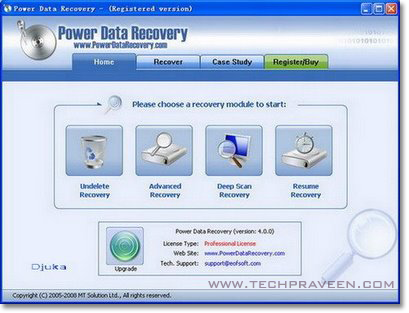
Step two: See the main screen and select a recovery module to search files

Which recovery module shall I select?
"Lost Partition Recovery": Recovering files when partition lost or deleted with following symptoms:
- deleted partition by mistake
- bad partition table
- partition lost without a reason
- partition or drive not detected by PC
"Advanced File Recovery": Recovering files with the following symptoms.
- SHIFT+DELETE command keys
- partition inaccessible but is visiable in PC under "Disk Management".
- emptied recycle bin
- symptom - drive is not formatted, do you want to format it now
"Deep Scan Recovery": the most powerful recovery module that searches every byte
- system crashes
- bad MBR, bad partition table, bad boot sector
- bad file allocation table
- software failure like merg partition failure, resize partition failure, ghost failure
- RAID array damaged
- symptom - drive is not formatted, do you want to format it now
- RAW file system, raw drive
"Format Recovery": Recoveirng files related with format problems
- formatted partition, card etc by mistake
- CHKDSK is not available for RAW drive
- Pressed restore button of iPod, iPhone, iTouch, blackberry
For any unstated data loss rescue, we recommend you to use "Deep Scan Recovery" to search lost files.

Tutorial to use iCare Data Recovery Software
Step Three: Select “Format Recovery” which is on the very left right corner to recover lost files from formatted drive as an example.

Step Four: Select the partition which was formatted and then click “Recover” to search. And a box showing scanning devices will turn up.

Step Five: When scanning device finished, there would be a partition which is formatted, be free to click “Show Files” which would list your lost files from your formatted hard drive.

Step Six: After clicking “show files”, there will be a list of lost files, you can check whether it is your lost files by "File Preview" or the "Thumbnail" which is offered to preview lost images, office files so far. (as to files not previewed, once iCare Data Recovery locates it and list it in Deleted and Lost Files list, it proves that the file can be restored.) Here is a screenshot that presents files that are listed under the "Thumbnail".

Click "File Preview" to view single file as below.

Step Seven: Click "Save Files" to save found files. A code is needed to activate the program and then it will allow you to save found files. Be free to purchase a code to activate iCare Data Recovery Software.

How to register iCare Data Recovery Software
This tutorial will show you how to activate iCare Data Recovery Software.
Step 1, Run the program and select a recovery module to go.
Step 2, You will see a screen with "Register" button, click it.

Step 3, Enter your license code if you already purchased a code of the program. (Buy a license herehttp://www.icare-recovery.com/purchase.html)
tips: please copy and past the code but do not copy any sapce ahead or after the code.

Step 4, Click Register and you will see the following screen

Step 5, Click OK and You don't have to restart PC nor the program. Just select your lost files and save them.